
CouponBirds: Deals & Coupons
CouponBirds: Deals & CouponsShopping
4.917.00 Reviews
- Version
- 1.5.5
- Installs
- 100.00K
- Age Rating
- Everyone
Screenshots




Our Review of CouponBirds: Deals & Coupons
 Analysis by Appyee
Shopping online often turns into a small research project: I compare prices, search for a discount, test a code, and then decide whether the saving is worth the extra time. CouponBirds: Deals & Coupons is built for that exact moment. It is a free shopping app from CouponBirds: Deals & Coupons that brings promo codes and deals into one place, with the practical goal of helping me avoid paying the standard price when a valid offer is available.
After using it as a companion to normal online shopping, I found its biggest value is not simply finding a coupon. The useful part is creating a repeatable routine around it. I can check an offer before committing to a purchase, compare the result with the retailer’s own sale, and stop when the saving is too small to justify more searching. That makes it more helpful for deliberate shoppers than for people expecting every order to receive a dramatic discount automatically.
How I use CouponBirds during a normal shopping trip
My baseline workflow is straightforward. I open the app before checkout, search for the store or product category I am considering, and review the available deals rather than immediately choosing the first code I see. The store summary focuses on verified promo codes and deals, but in practice I still treat each offer as something to test against the exact basket I am building. A code that looks attractive may have a minimum spend, an excluded product, or a limited use case.
This is especially useful when I already know where I want to shop. Instead of browsing aimlessly through discount pages, I use the app as a last-minute price check. For example, if I am replacing a phone case, ordering household supplies, or buying a gift, I can search the retailer before paying and compare the available offer with the current product price. The extra step is small, but it prevents me from overlooking a discount that is easy to apply.
I also like separating the search stage from the decision stage. CouponBirds can surface an offer, but it should not make me buy something I did not need. My habit is to decide on the item and acceptable price first, then use the app to see whether the total can be reduced. This avoids the common trap of chasing a coupon while spending more than planned.
The app is aimed at general shopping rather than a narrow retail niche, so its usefulness depends on the stores I visit. It makes the most sense for people who regularly shop across several online retailers and want one place to check before checkout. Someone who buys from only one store with a strong built-in loyalty program may get more value from that retailer’s own app or email offers.
One practical strength is that the app does not require me to change my entire shopping routine. I can keep comparing delivery charges, return terms, product quality, and seller reliability as usual. The coupon is an additional filter, not a substitute for judging the purchase. That distinction matters because a discount can still lead to a poor deal if shipping is expensive or the supposedly reduced item is priced higher than comparable products elsewhere.
What I check before trusting an offer
I read the wording around a deal carefully and look for the difference between a general promotion and a code that applies to my basket. I check whether the saving is a percentage reduction, a fixed amount, or a special offer tied to a particular product or order value. I also look at whether the deal appears relevant to the store I am using now, rather than assuming that a familiar retailer name means every listed promotion will work for every shopper.
My most reliable routine is to copy or note one promising code, return to the retailer, and test it without removing the original sale price. If the code lowers the total, I compare that result with the store’s automatic promotion. Sometimes the coupon is better; sometimes the retailer’s own sale already provides the stronger price. This simple comparison is more valuable than collecting a long list of possible codes.
Another useful habit is keeping the cart stable while testing. If I change products, quantities, or delivery options between attempts, it becomes difficult to know which condition affected the result. I test one offer against the intended basket, record the final total, and then move on. That makes the app part of a controlled shopping process instead of a source of random trial and error.
Settings and habits worth checking
The first setting worth checking is the app’s basic shopping context: whether the stores and offers shown are relevant to the places where I normally buy. I avoid treating every visible deal as equally useful. A short list of retailers I actually use is more efficient than opening every offer simply because it appears available.
I also pay attention to how much time I want to spend searching. For a small purchase, I set a personal stopping point. If I have checked the most relevant offer and the saving is minor, I finish the order rather than repeatedly testing codes. For a larger purchase, I am willing to compare more carefully because a successful promotion can make a meaningful difference. This time-versus-saving trade-off is one of the most important settings in practice, even though it is a personal rule rather than a button inside the app.
Notifications and browsing preferences deserve a similar review whenever they are available on the device. I prefer shopping tools to support an intentional purchase rather than constantly interrupting me. If alerts are useful for a retailer I visit often, I keep the relevant ones; if they turn into background noise, I reduce them. The best setup is the one that brings me back to the app when I am already shopping, not one that encourages unnecessary browsing.
I would also make sure the app is kept current. The installed version is 1.4.19, and using the current release is sensible for a coupon service because offers, retailer pages, and compatibility can change over time. The app supports devices running Android 9 or later, so users with older phones should check compatibility before planning around it. That is a basic step, but it prevents the frustrating situation of discovering the tool is unavailable only when I am ready to pay.
The age rating is Everyone, which fits the straightforward shopping purpose. I still use the same caution I would apply to any shopping service: I avoid entering sensitive information into unfamiliar pages, review the retailer before purchasing, and remember that the app’s presence of an offer does not replace checking the merchant’s own checkout details.
Faster patterns for repeat shoppers
Experienced use is mostly about reducing repeated work. I start with stores I already trust, search them before building a large cart, and keep a mental note of which retailers usually have automatic discounts and which ones commonly require a code. Over time, this makes CouponBirds faster because I am not treating every shopping session as a blank search.
A useful pattern is to check the app at two different points. I make an early check when I am comparing retailers, then a final check immediately before payment. The early check can influence where I buy, while the final check catches a promotion that may be more relevant to the completed basket. I do not assume the first result remains the best choice after changing the cart.
For recurring purchases, I use a simple comparison note outside the app: the retailer, the usual product price, the delivery cost, and the best successful offer I have recently seen. This is not about building a complicated spreadsheet. It helps me recognize whether a coupon is genuinely useful or merely makes a temporarily inflated price look attractive. CouponBirds is strongest when paired with this kind of price awareness.
Another efficient approach is to test the most specific offer first. If I am buying from a particular department or looking at a named product line, I prioritize a deal that clearly matches that purchase over a broad sitewide code. A general code may still win, but starting with the closest match reduces wasted attempts. I also avoid stacking assumptions: I test whether offers combine instead of expecting two promotions to apply simply because both appear appealing.
When shopping on a phone, I keep the retailer basket and the coupon search close together so I can switch without losing the details of the order. The exact steps depend on the device and retailer, but the principle is consistent: search, test, confirm the final total, and only then pay. The app saves the most time when it is used as one short stage in checkout rather than as a separate browsing session that I forget to connect to the order.
Where the app needs realistic expectations
The main limitation is that a coupon app cannot guarantee that every listed deal will fit every basket. Retail promotions change, eligibility conditions differ, and a code can be valid in general while failing for a particular product or account. I regard the displayed offer as a lead that needs confirmation at checkout. That mindset keeps the experience useful without turning a failed code into a major disappointment.
There is also a trade-off between convenience and maximum possible savings. CouponBirds can shorten the search, but a shopper who is willing to compare the retailer’s own sale, a cashback service, a loyalty balance, and competing stores may occasionally find a better overall deal elsewhere. The app is a strong first check, not necessarily the only tool for expensive purchases.
For very small orders, the time spent opening several offers may outweigh the saving. I would skip an extended search when I am buying a low-cost item, when delivery already determines the price, or when the store has a clear automatic promotion. In those situations, the retailer’s own checkout is often quicker. The app becomes more worthwhile when the order is large enough for a successful code to matter or when I am shopping at a store whose promotions are difficult to find.
I would also avoid using it as a reason to postpone a necessary purchase indefinitely. Deals can be useful, but waiting for a perfect code is not always sensible if an item is needed now or stock is limited. My rule is to use the app to improve a planned purchase, not to let discount hunting control the purchase.
Its public reception is encouraging: the app holds a 4.8 average from around 466 ratings, with more than 100 thousand installs. Those figures suggest that many shoppers find the basic idea worthwhile, but they do not remove the need for personal testing. Coupon usefulness varies by retailer, basket, location, and timing, so I would judge it by the stores I actually use rather than by the score alone.
Who will get the most from it
I recommend CouponBirds most readily to people who shop online across several retailers, regularly compare prices, and are willing to spend a moment checking a code before paying. It is also a good fit for households where one person handles recurring orders and wants a consistent reminder to look for a promotion. The free price makes it easy to add to a shopping routine without committing to another subscription.
It is less compelling for someone who rarely shops online, buys almost everything from one marketplace, or already receives better personalized offers through a retailer membership. It may also frustrate shoppers who expect a fully automatic saving process and do not want to read conditions or test an offer. For them, a store’s native discount system may feel simpler even if it does not always produce the lowest price.
Because the app is categorized as Shopping and developed by CouponBirds: Deals & Coupons, its role is clear: it is a deal-finding companion, not a complete replacement for retailer apps, price comparison, or payment tools. I would keep those distinctions in mind when deciding whether to install it. The app earns its place when it catches savings I would otherwise miss, not merely because it displays a large collection of promotions.
My final routine and verdict
My preferred routine is now consistent. I decide what I need, compare the retailer’s normal price and delivery terms, open CouponBirds before checkout, test the most relevant offer, and confirm the final total. If the result is good, I complete the purchase. If nothing applies, I stop after a reasonable check instead of spending more time than the saving deserves.
That approach captures the app’s real strength. It does not make shopping decisions for me, and it cannot turn every order into an exceptional bargain. What it does well is put a focused coupon check into the moment when it can actually affect the price. The best savings come from a repeatable habit, not from endlessly chasing codes.
CouponBirds: Deals & Coupons is free, rated for Everyone, and available for Android devices running version 9 or later. Since its release on September 24, 2025, it has developed a solid early audience, and the current version gives shoppers a practical starting point for deal hunting. I would install it if I wanted a quick extra check before online purchases, especially across multiple stores. I would skip it only when my shopping is already handled efficiently by one retailer’s own discounts or when even a short coupon search feels like unnecessary work.
Verdict
Strengths of CouponBirds: Deals & Coupons
- Easy access to coupons for many popular online retailers.
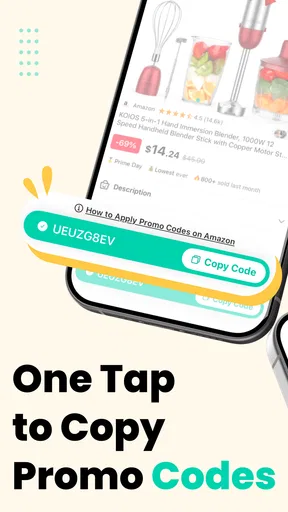
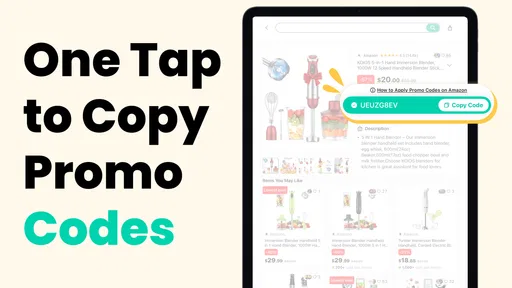
- Discount codes can be copied quickly from the app.
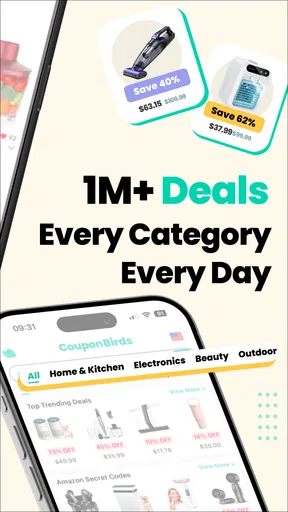
- Useful deal categories help narrow down shopping searches.
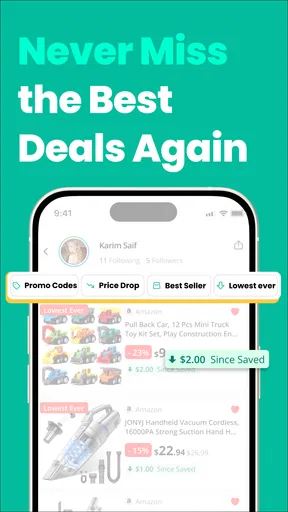
- Savings alerts may help users spot limited-time promotions.
- Free to download and simple to browse without an account.
Limitations of CouponBirds: Deals & Coupons
- Some coupon codes may be expired or unavailable at checkout.
- Offers can vary by region, retailer, and shopping platform.
- The app may include promotional content alongside useful deals.
- Savings often depend on minimum orders or other restrictions.
- Not every listed coupon provides a meaningful discount.
Similar Picks in This Category
View All
SHEIN-Shopping Online
Roadget Business PTE. LTD.4.8

Amazon Shopping
Amazon Mobile LLC4.4


Mercado Libre: Compras online
Mercado Libre4.8

Wish: Shop and Save
Wish US Holdings LLC4.7

Alibaba.com - B2B marketplace
Alibaba Mobile4.4
Frequently Asked Questions
What is CouponBirds: Deals & Coupons, and how does it work?
CouponBirds: Deals & Coupons is a shopping companion that helps users find promotional codes, discounts, cashback opportunities, and special offers from participating online retailers. After opening the app, you can search for a store or browse available deals, copy a coupon code, and apply it during checkout on the retailer’s website. The app is designed to make comparing savings easier before completing an online purchase.
Can I trust the coupons and discount codes listed in CouponBirds?
CouponBirds generally provides coupon codes and offers collected from retailers, shopping partners, and its user community, but not every code will work for every product or account. Promotions can expire, have minimum-spending requirements, or exclude certain brands and categories. Before relying on a discount, check the offer’s terms, expiration date, and restrictions, then confirm that the reduced price appears at checkout.
Does CouponBirds offer cashback, and how can I receive it?
Some participating stores may provide cashback when you activate an eligible offer through CouponBirds and complete a qualifying purchase. The exact cashback rate, tracking conditions, waiting period, and payout options can vary by retailer and promotion. Users should activate the offer before shopping, avoid using conflicting promotional links, and review the app’s current cashback rules to understand when earnings become available.
Is CouponBirds free to download and use?
CouponBirds is generally free to download and use for browsing deals, searching for coupons, and accessing available promotions. However, normal internet or mobile data charges may apply, and the final price of a purchase is determined by the retailer. Some offers may also include specific eligibility requirements. Always review the deal details and retailer terms before placing an order.
What should I know about privacy and account requirements before using CouponBirds?
Depending on the features you use, CouponBirds may request permission to process information related to your searches, shopping activity, device, or account. Creating an account may be useful for saving offers, tracking cashback, or managing rewards, while basic coupon browsing may require less information. Before signing up, review the app’s privacy policy, permissions, and data-sharing practices in the current store listing.
